My Wife's Plants Get the app

Houseplant care for iPhone

Every plant in the house, remembered

My Wife's Plants keeps track of what each plant is, when it was last watered, how much it needs, and when to feed it — so nothing is forgotten for a month, or watered twice because nobody wrote it down.

  • Free reminders
  • 252 offline guides
  • No account, no ads

Free to download, with optional Plant AI subscriptions.

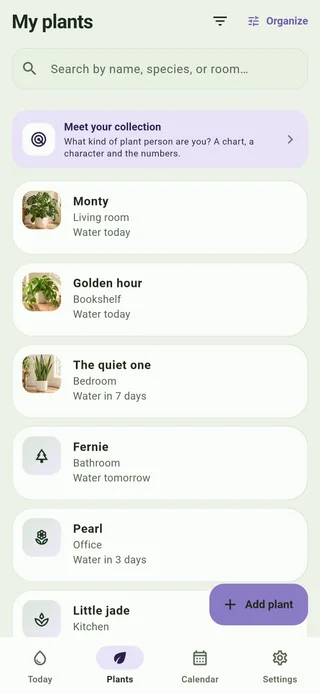
The Plants tab: six plants, each with its photo, its room and the day it next needs water.

My wife can name every plant in this house. I couldn't tell you when a single one of them was last watered — only that it was either far too long ago, or twice in one day, by both of us.

So I built the app she needed. It knows 252 common houseplants by heart and keeps your plants, guides and reminders available offline — on a plane, in a basement, on the evening the wifi gives up. The optional AI features need internet access.

She uses it every day. That's the whole review.

A look inside

Seven screens, one routine

The same pictures as the App Store page. Scroll sideways for the rest.

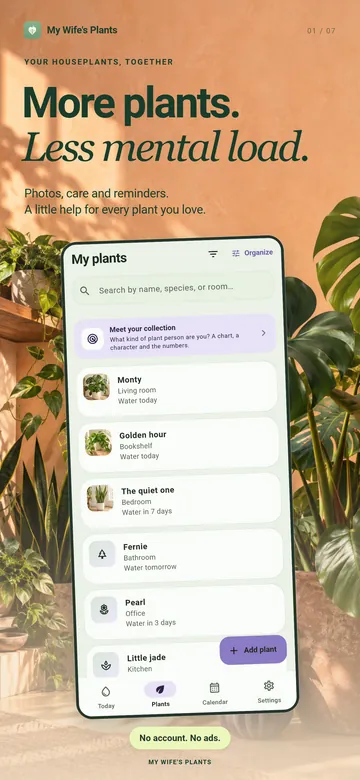
  • More plants. Less mental load. The Plants tab, listing a collection by nickname and room.
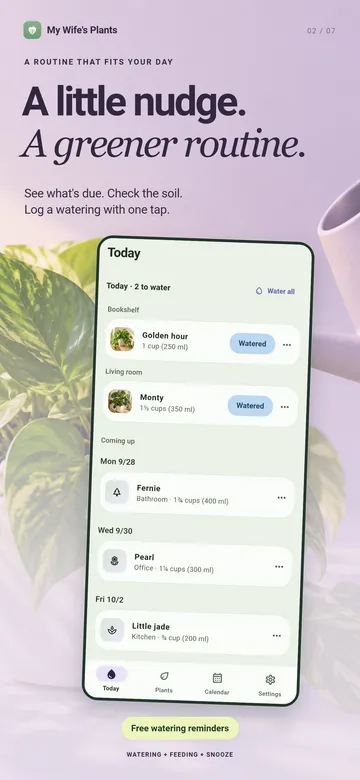
  • A little nudge. A greener routine. The Today tab, with two plants to water and the days coming up.
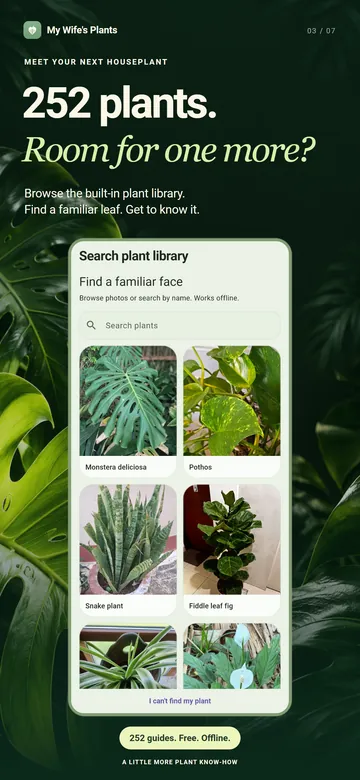
  • 252 plants. Room for one more? The plant library, a grid of photographs to browse or search.
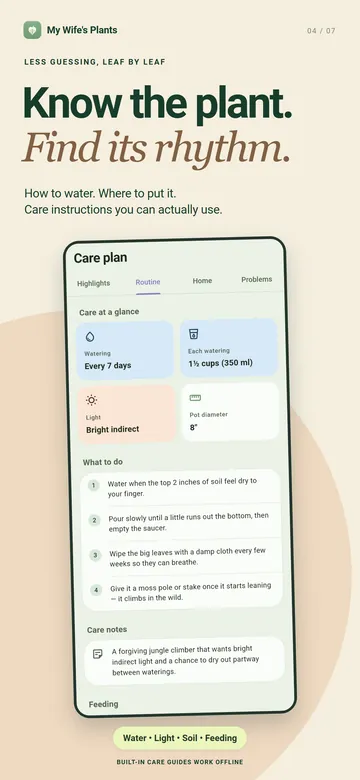
  • Know the plant. Find its rhythm. A care plan on its Routine tab: how often, how much, and what to do.
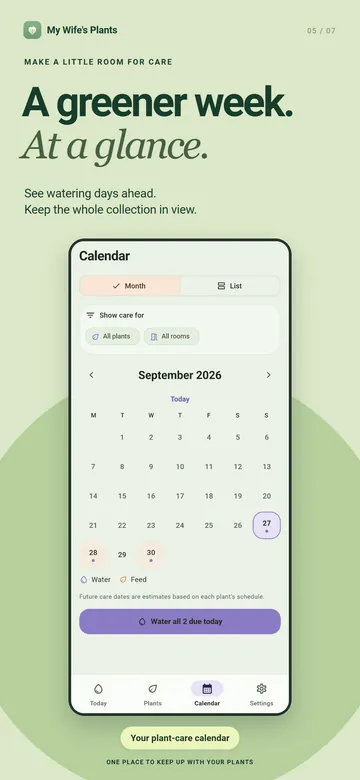
  • A greener week. At a glance. The calendar, with watering and feeding days marked for the month.
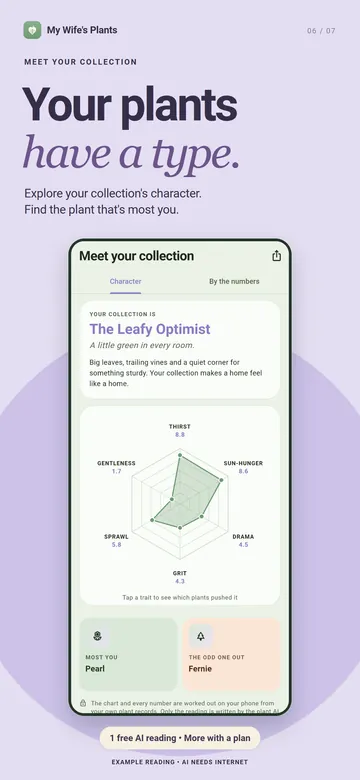
  • Your plants have a type. Meet your collection: a six-point chart and an example reading.
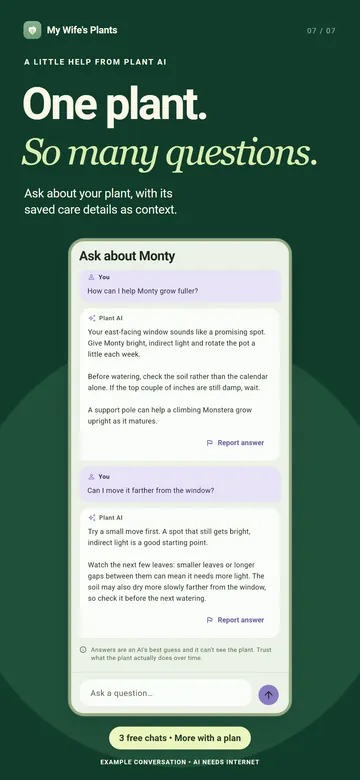
  • One plant. So many questions. An example Plant AI conversation about a Monstera.

The plants, rooms and schedules shown are samples. The Plant AI conversation and the collection reading are examples, not live answers.

What it does

The everyday part, which is free

It remembers
One reminder per plant, on the day it's due, telling you how much to pour. Watered and Snooze work straight from the notification, without opening anything.
It shows you the week
Today lists what's due and what's coming up. The calendar shows the month, or the same days as a list, for every plant or just the ones in one room.
It already knows the plant
252 houseplants in a photo library, with care and feeding guides written for this app rather than scraped. All of it lives on the phone.
It gets to the point
Each care plan has four tabs: Highlights, Routine, Home and Problems. What makes this plant different comes first; humidity, soil, repotting and propagation are there when you want them.
It's careful about safety
Pet and child safety answers are checked against poison-centre lists. Where the evidence is thin the app says it doesn't know, rather than calling a plant safe. If it matters, check an authoritative source.
It knows when to stop
Fertilizer reminders can pause over winter, using your chosen hemisphere, and during a plant's dormant months. Away mode silences everything until you're back.
It knows your type
With three plants or more, Meet your collection charts six traits, picks the plant that's most you and names the odd one out. The chart and the numbers are worked out on your phone.
It's yours to keep
Export a backup of your plants, photos and notes, and restore it on a new phone. Light or dark, cups or millilitres: your choice.

Plant AI, if you want it

For the questions a guide can't answer

It can look at a photo
Plant AI suggests a species and a care profile from a photo, including water, light and toxicity information.
It answers questions
Each plant has its own conversation. Ask why the leaves are curling and the answer accounts for that plant's schedule, spot and history.
It checks the leaves
If a plant looks off, ask Is it sick? with a photo for a read on how it's doing and a few things to try.
It checks the light
Photograph a windowsill or corner and Plant AI estimates whether that spot suits your plant.

Identifications and answers can be wrong. They are guidance from a photo, not a light-meter reading or a diagnosis; check a trusted source for pet or child safety.

What costs money

Free where it can be

Free, and staying that way

Everything that works without the internet.

  • Your plants, photos, rooms and notes
  • Watering and feeding reminders
  • Today and the calendar
  • The 252 guides and the photo library
  • Backup and restore

To try the AI: three photo identifications, chat messages, AI care profiles and feeding lookups — three of each — and one sunlight check, one sick-plant check and one collection reading. These are one-time allowances, not monthly refills.

Plant AI subscription

The camera and the questions run through Anthropic's Claude, which costs money on every request. So the AI features run on a subscription.

  • Monthly or yearly, with prices shown in the app before purchase
  • Renews automatically until cancelled
  • Monthly usage limits, shown in the app before you buy

Currently 40 photo identifications, 300 chat messages, 30 sunlight checks, 30 sick-plant checks and 10 collection readings a month, plus 200 AI care profiles and 100 feeding lookups for plants outside the built-in guides. The full terms, if you want them.

Where your plants live

Your collection is saved on your phone, with no account or password. When you choose an AI feature, the photo or plant details needed for it pass through my server to Anthropic for processing. My server doesn't save that content; providers have their own retention policies. Export a backup to keep a separate copy of your collection. The privacy policy spells out the few things that do leave the device, and when.

Built with love, by a husband, for his wife.

Picture credits

The plant library screen shows photographs bundled with the app, shared by their photographers on iNaturalist:

They are shown resized and cropped inside the app's own layout. The decorative plant photography behind the screens, and the photos of the sample plants, are generated artwork made for this app.